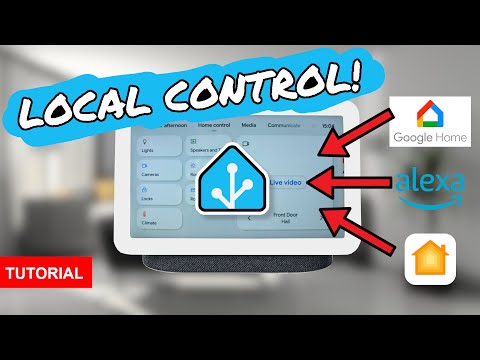
Control Home Assistant with Google Home — 100% locally using Matter!
No cloud dependency, no subscription, and setup takes just minutes 🚀
In this video, I’ll show you how to connect Home Assistant to Google Home using Matter, allowing you to control your Home Assistant entities locally with voice commands. This powerful setup also works the same way for Alexa and Apple Home, giving you full flexibility without relying on cloud integrations.
Using the Home Assistant Matter Hub add-on, you can expose lights, switches, automations, scripts, sensors, climate devices, locks, and much more directly to Google Home — all while keeping your smart home fast, private, and reliable.
✅ What you’ll learn in this tutorial:
* How to install the Home Assistant Matter Hub add-on
* How to connect Home Assistant to Google Home via Matter
* How to expose entities using labels, domains, or patterns
* How to control Home Assistant locally with voice commands
* Supported entity types (lights, climate, scripts, sensors, switches, locks, vacuums, and more)
* A live Google Home voice control demo
* Current limitations (like alias support) and best practices
🔐 Why use Matter with Home Assistant?
* Fully local control (no cloud integration required)
* No subscription fees
* Faster response times
* Works with Google Home, Alexa, and Apple Home
* “Set it and forget it” smart home setup
This is an old-school Home Assistant tutorial focused on practicality, reliability, and privacy. If you’re serious about building a local-first smart home, this setup is a game-changer.
👍 If this video helps you, please like, subscribe, and share — it really supports the channel!
☕ Want to support my work? Check the links below for Patreon, Ko-fi, or Channel Memberships.
NOTE: You need a thread border router in your network and have ipv6 enabled
Links referred to in this video:
* The Home Assistant Matter Hub Repository: T0bst4r stopped maintaining his repo, but there’s a new fork here:
* Documentation:
Blog version:
👉 Get the desktop clock/message ticker that I use in the video:
⭐⭐⭐
* Join this channel to get access to perks: 📺
* Please consider becoming my patron 🏅 at
* Or please support me by buying me a ☕ at
* Or sponsor me through PayPal at
⭐⭐⭐
⭐ If you want me to create a review of your product, please visit this page for information and rates: ⭐
My Devices:
Instagram:
X:
Mastodon:
Facebook:
TikTok:
Discord:
Music by:
* 2TECH-AUDIO:
00:00:00 Introduction
00:01:55 Intall the Home Assistant Matter Hub Add-on
00:04:23 Configure the Home Assistant Matter Bridge Add-on
00:06:57 Scan the QR code in Google Home, Alexa, or Apple Home
00:07:45 Add label to Home Assistant
00:09:06 Demonstration
00:10:00 Downsides
00:11:00 Don’t leave yet!
#HomeAssistant #Matter #GoogleHome